See what you’d actually open every morning.
Five screens of the real app, run on a made-up host: invented places, guests and figures. Each says what you’re looking at and why it’s there.
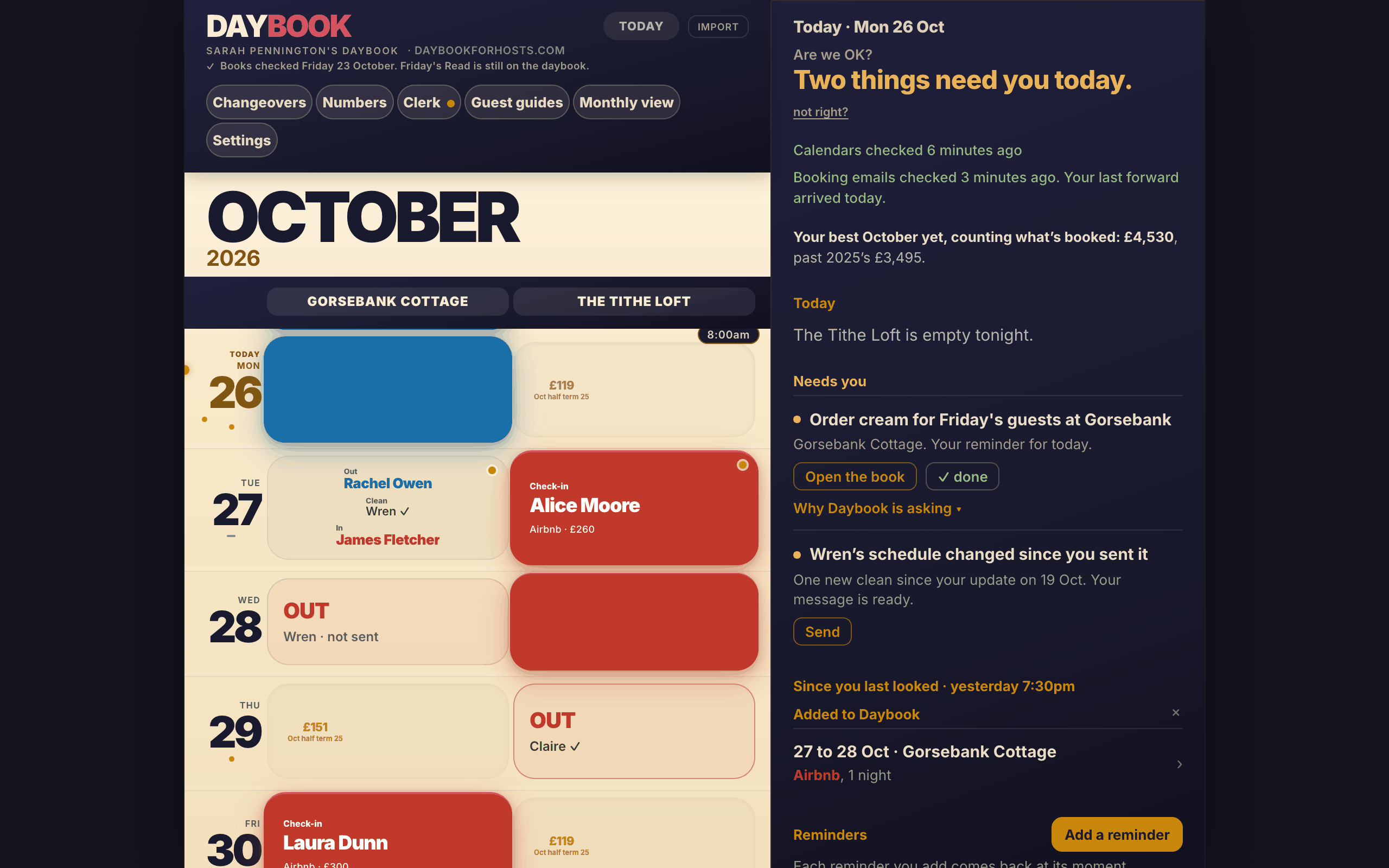
Every booking, side by side.
Your places in one calendar, each booking coloured by the site it came from; on a laptop, with Today pinned beside it.
You stop opening each site in turn to find out who is where. The colour tells you where a booking came from; a tap tells you what Daybook knows about it.
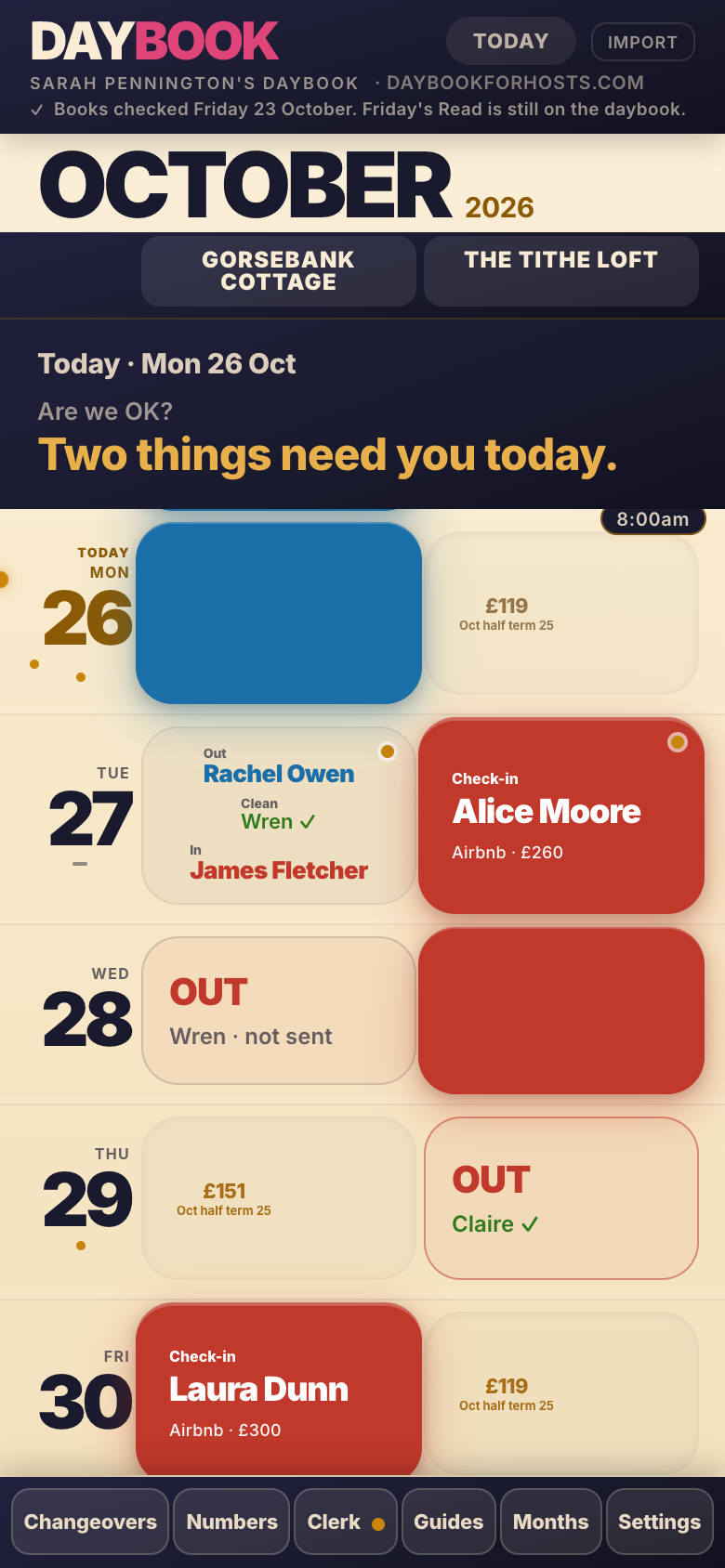
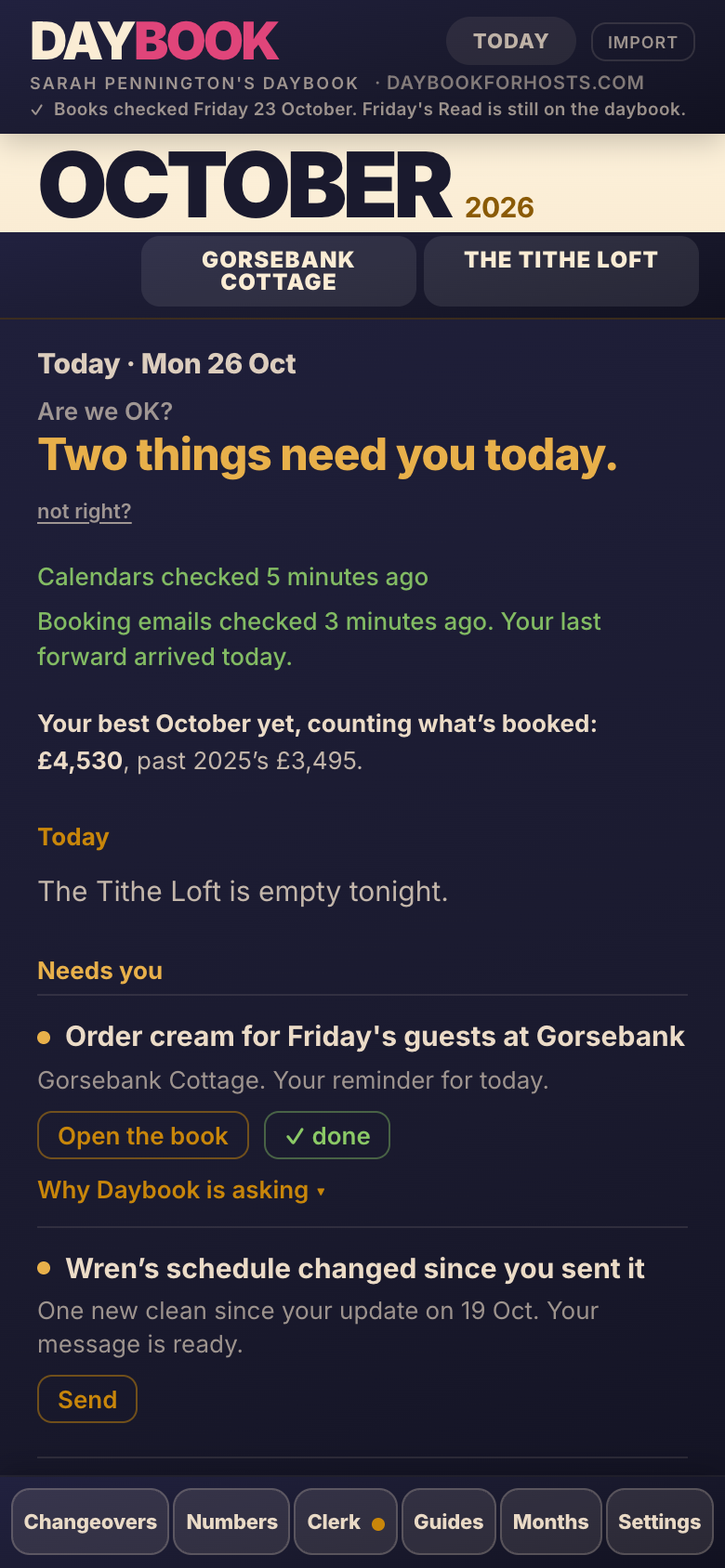
What needs you, by name.
The Today panel on a phone: how many things need you today, each one named, then who leaves and who arrives, then what has changed since you last looked.
One look in the morning answers the two questions you open it with: am I all right today, and has anything changed? When nothing needs you, it says that too.
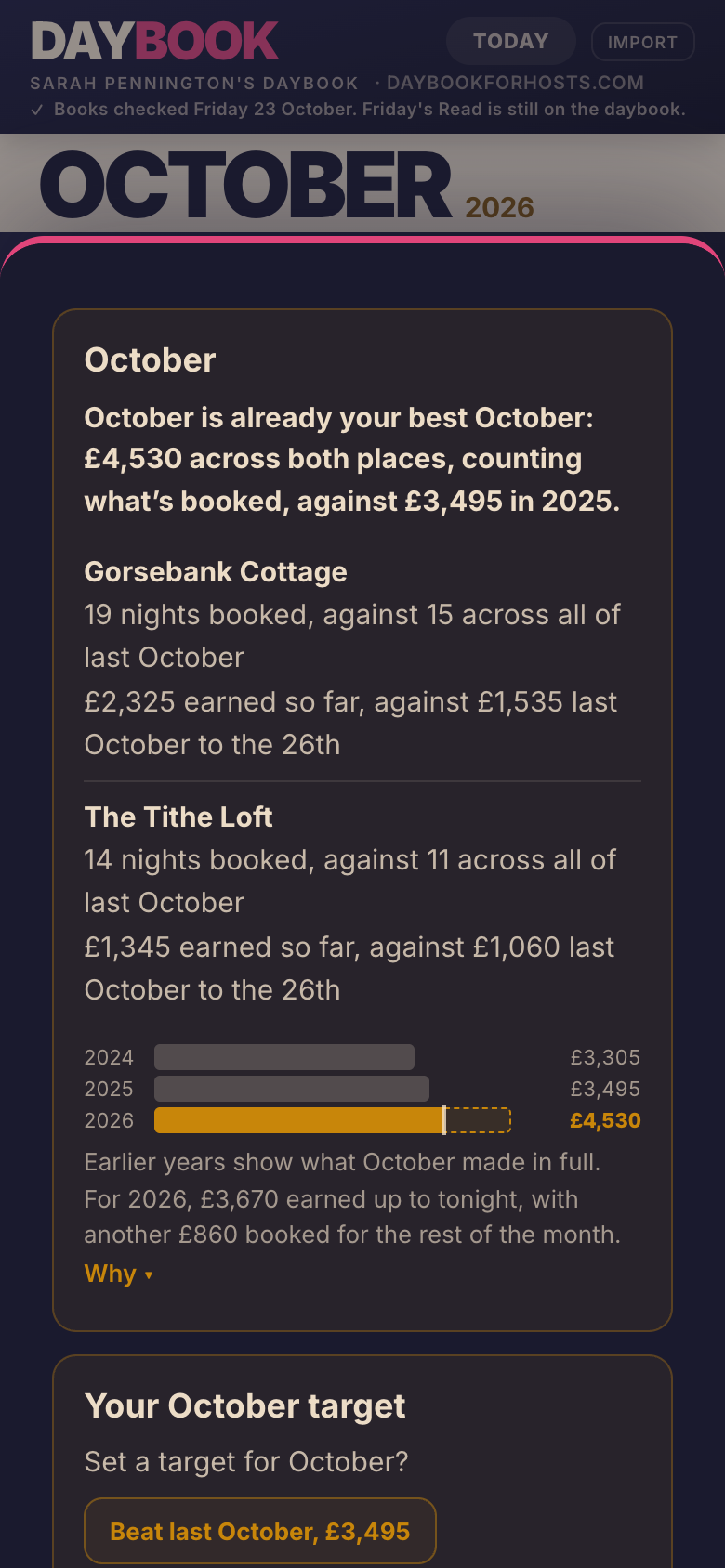
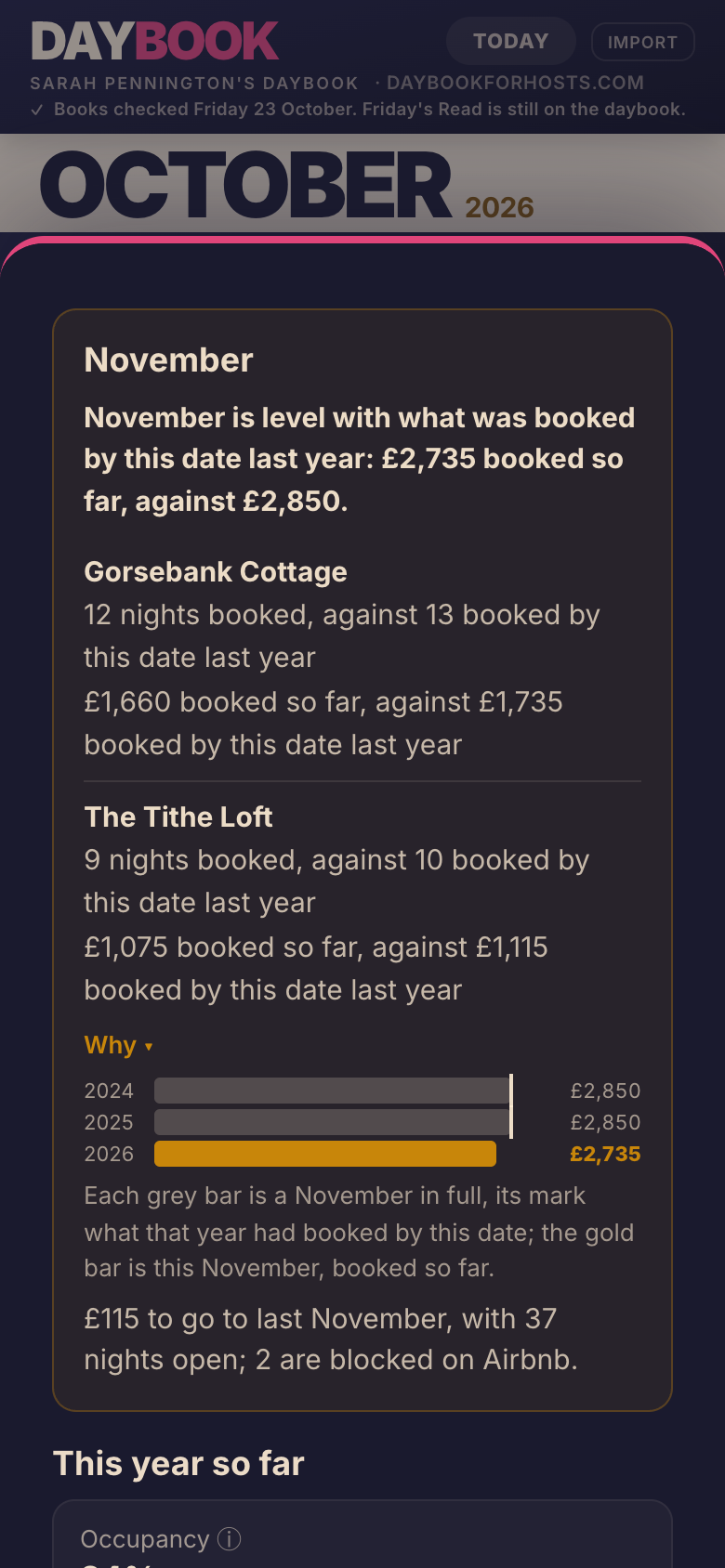
Where the month stands, in one sentence.
This month’s card, its verdict in bold above a row for each place and the bars for earlier years; then next month’s, tracking what is booked against last year on the same day.
You see whether a month is ahead or behind, and why, before it is over. Every figure is what a stay earns you after commission, and any night without a figure is named, with what to do.
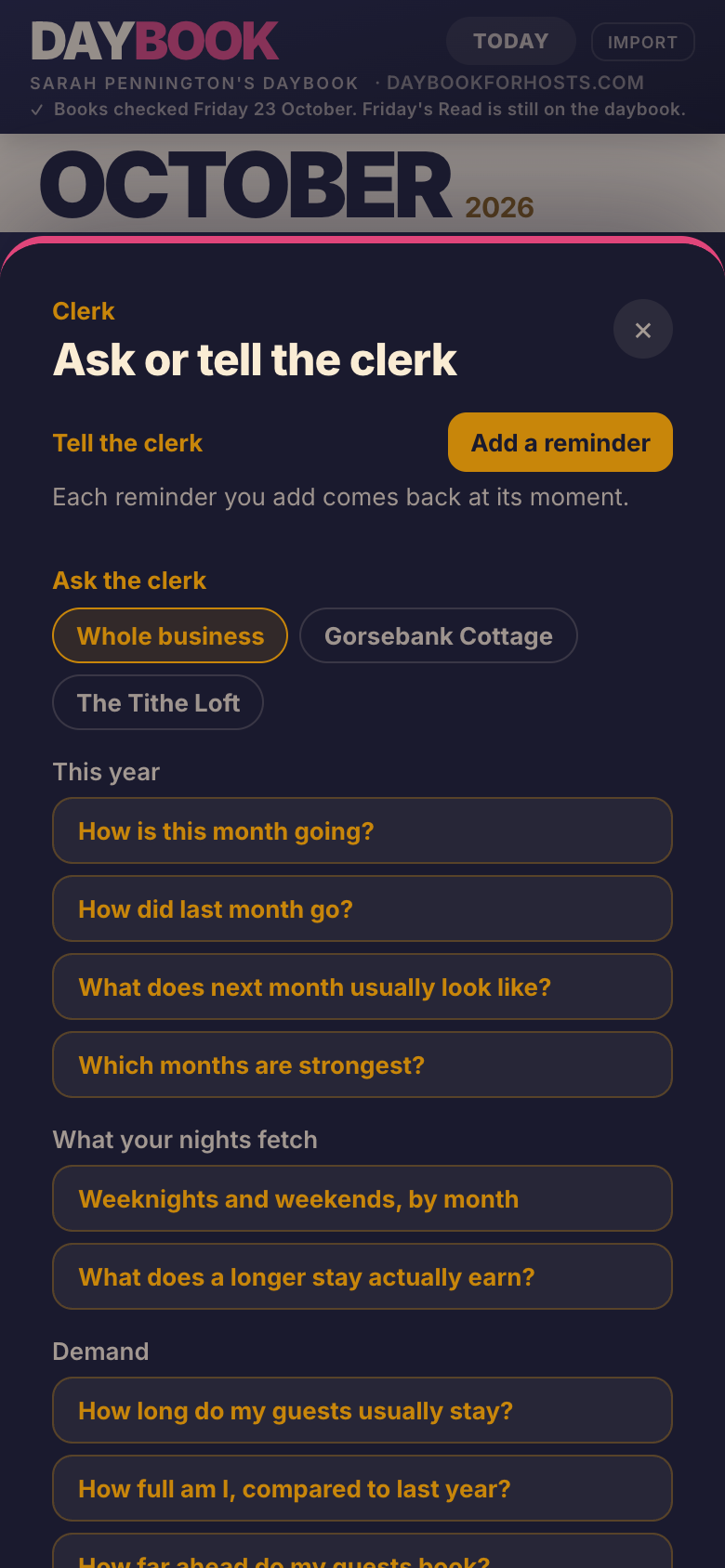
Somewhere for the little things.
The Clerk on a phone: Tell the clerk, where you add a reminder by voice or typing, and Ask the clerk, with questions about your own bookings and figures.
A reminder comes back on Today on the day it’s for and stays until you tick it off, so the cream for Friday’s guests is on your list, not in your head.
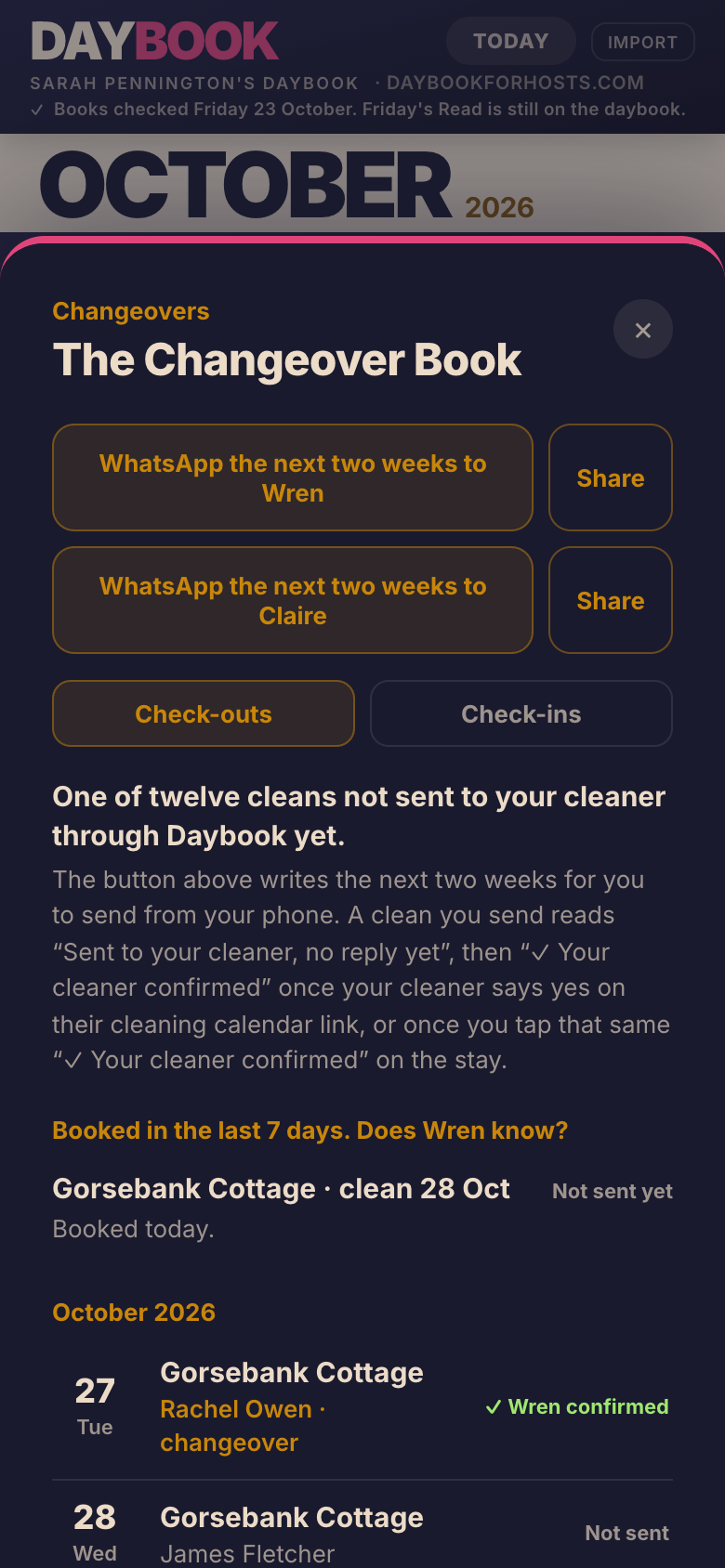
The message is written. You send it.
A changeover with the message Daybook has prepared for the cleaner: the place, the day, the checkout time and a link to their own schedule.
Telling the cleaner is a tap and a send, from your own phone. Your board then says where it stands: prepared, sent with no reply yet, or confirmed.
The quickest way to see it is with your own bookings.
Start with one calendar link and see your own bookings in Daybook.
Free for 14 days, no card. Then £15 a month.
Your holiday lets deserve a clearer view.
One business, however many places the bookings come from.
Free for 14 days, no card. Then £15 a month. The first 50 hosts who pay become Founding Hosts and keep £15 a month for as long as they stay.