A guest guide in your words, written one page at a time
Daybook walks you through it, starting with the page guests read most. Guests open it from a link in your booking message or the card on your door. There is nothing for them to download.
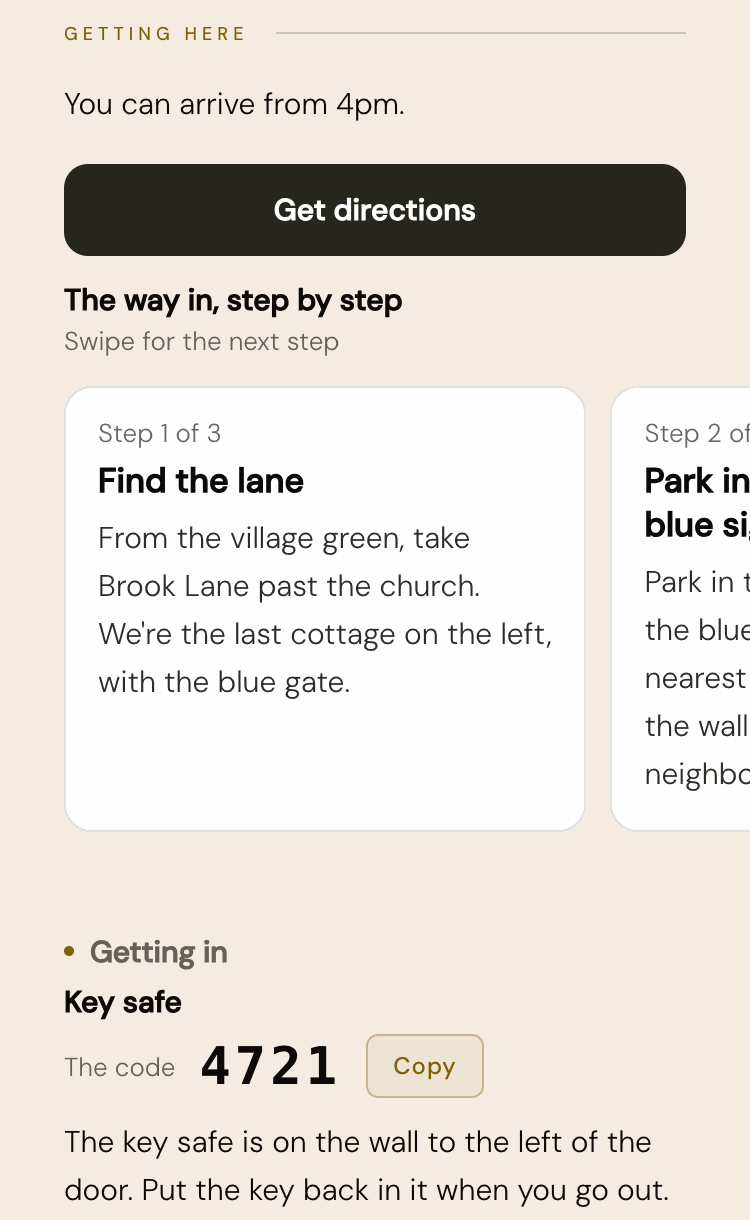
Show them where to park
Guests read Getting here more than any other page. The way in is a row of photo steps they swipe through: the turning, the parking space, the front door. A photo of your parking sign does more than a paragraph about it.
Then how they get in: a key safe, a lockbox, a smart lock or meeting you, with the code and a button to copy it.
Welcome
Your note to guests and who it's from. Upload an area guide you already have as a PDF, or tap Start me off for a first draft from a few questions.
The place, and Getting here
The name, the photo guests look for when they pull up, how to reach you, then the way in.
House rules
A few rules at the front, so guests read them before anything else.
Questions guests ask
Answer them once: the wood burner, the nearest shop, the travel cot.
Room by room
Each room's rules, what's where, and how things work.
Once they're in
The WiFi, the first thing guests look for.
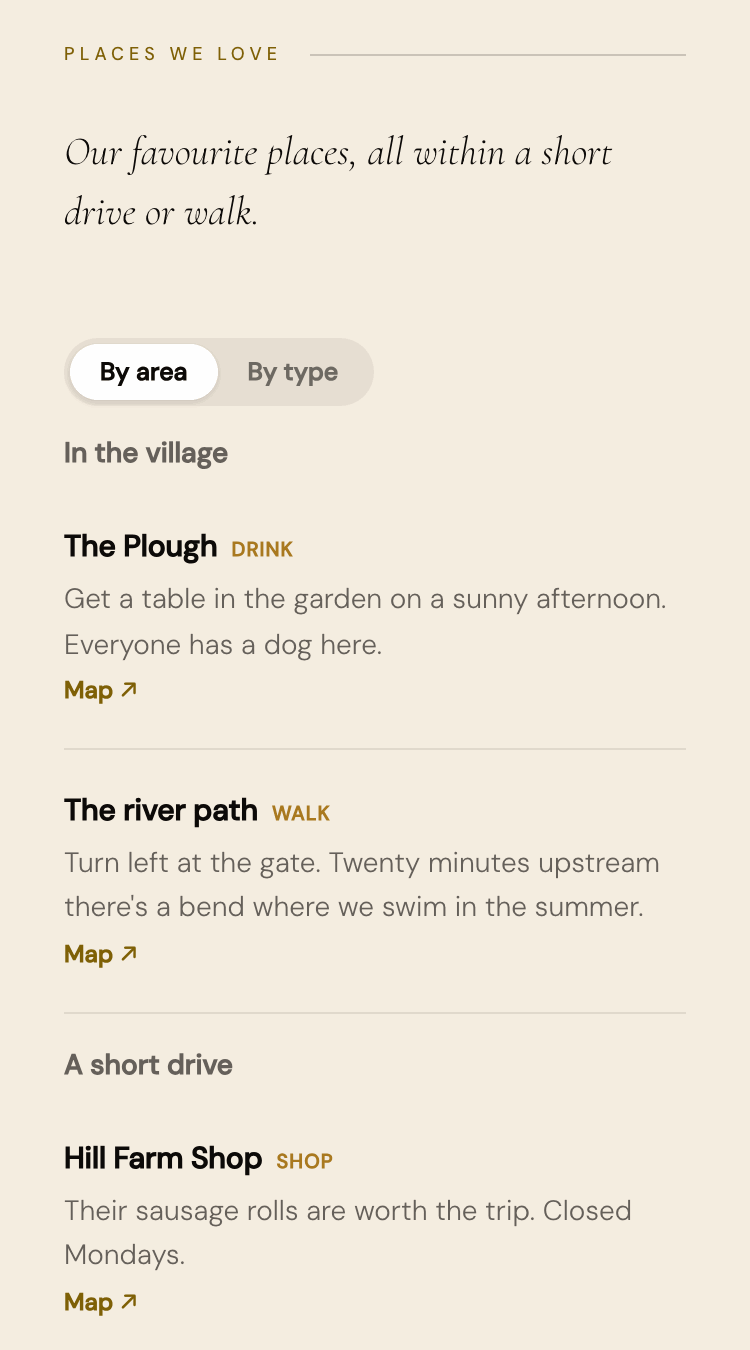
Places you love
Your favourite places, grouped by area, each with why you love it.
Just in case, and Checkout
Where the stopcock and the fuse box are, then what you'd like done before they leave, which guests tick off on their phone.
The part a search engine can't write
Daybook asks why you love each place, not just its name, because that line is what guests remember. It adds a map link; the words stay exactly as you wrote them.
Already have an area guide as a PDF? Upload it and guests see it as it is, under Our area guide. Already have a list of places in a Word file, a PDF or a web page? Daybook reads the places out of it and you tick the ones to keep.
What the guide does for you
A card for the door
Print the door card and guests open the guide with their phone's camera. You can print the whole guide as a book too.
You know when they're in
When a guest opens the WiFi details, the arrival on your board reads Likely in: they opened the WiFi details at 4:12pm. After that the guide asks once whether they're settled in, and if they tap Yes, we're in, it reads They're in, confirmed at 4:20pm.
You know when they've gone
If you've filled in the Checkout page, guests get a We've checked out button. When they tap it, your board reads Guests have left at 10:05am, and the clean can start.
A note for one stay
Write a welcome note on a booking and it shows at the top of that place's guide during their stay.
Your own guest messages
Save the messages you send guests once. Daybook fills in the guest's name and dates for a booking and copies it, ready to paste into Airbnb or Booking.com.
One link, always up to date
Change the guide and the next guest to open the link sees the new version. There's nothing to send again.
Being built now
Decided and in hand, not yet live.
A link for each stay
Each booking gets its own guide link, from its card on your board.
Codes only when they're needed
The door code and the WiFi show from two days before arrival until checkout day.
Cancel a link
Cancel a guest's link, or make a new one, whenever you need to.
Book direct next time
A line on the checkout page inviting guests to book with you directly, shown only on direct bookings and never to Airbnb guests.
About guest guides
Do guests need an app?
No. The guide is a web page. They tap the link or scan the card and it opens in their browser.
One guide for each place?
Yes. Each place has its own guide, because the WiFi, the way in and the rules are different.
Will Daybook rewrite what I say?
No. Your words go in the guide as you wrote them.
How long does it take?
Your progress saves as you go, so you can do one page tonight and the next another day. Getting here and the questions guests ask are the pages to do first.
See your own morning in Daybook. You don't need a card.
£15 a month after the free trial, everything included. The first 50 hosts who pay become Founding Hosts and keep £15 a month for as long as they stay.